Quick Start: Building Analyses
The TreeSense Cloud enables continuous monitoring of the growth and water balance of individual trees. The focus is on gaining insights over time—such as how a tree responds to dry spells or how its growth develops over the course of the season.
The TreeSense Dendro measures trunk growth with high resolution, enabling the analysis of growth patterns and periods of drought stress. The TreeSense Pulse can be used as a complementary tool.
Quick Start in 4 Steps
Step 1 – Create a tree and assign a location
Add a new tree: Go to Tree Registry, Tree Inventory, or Map View and click “Add Tree.” Place the tree on the map and confirm its location. Select the project and location, enter the basic information (tree species, year planted, location), and save. Alternatively, you can create a new project or area directly at this point.
→ Video tutorial: Adding a tree to the tree registry
Step 2 – Assign sensor
In the tree view, use the pencil icon to assign the installed sensor. Enter the installation date, mounting height, and sensor type.
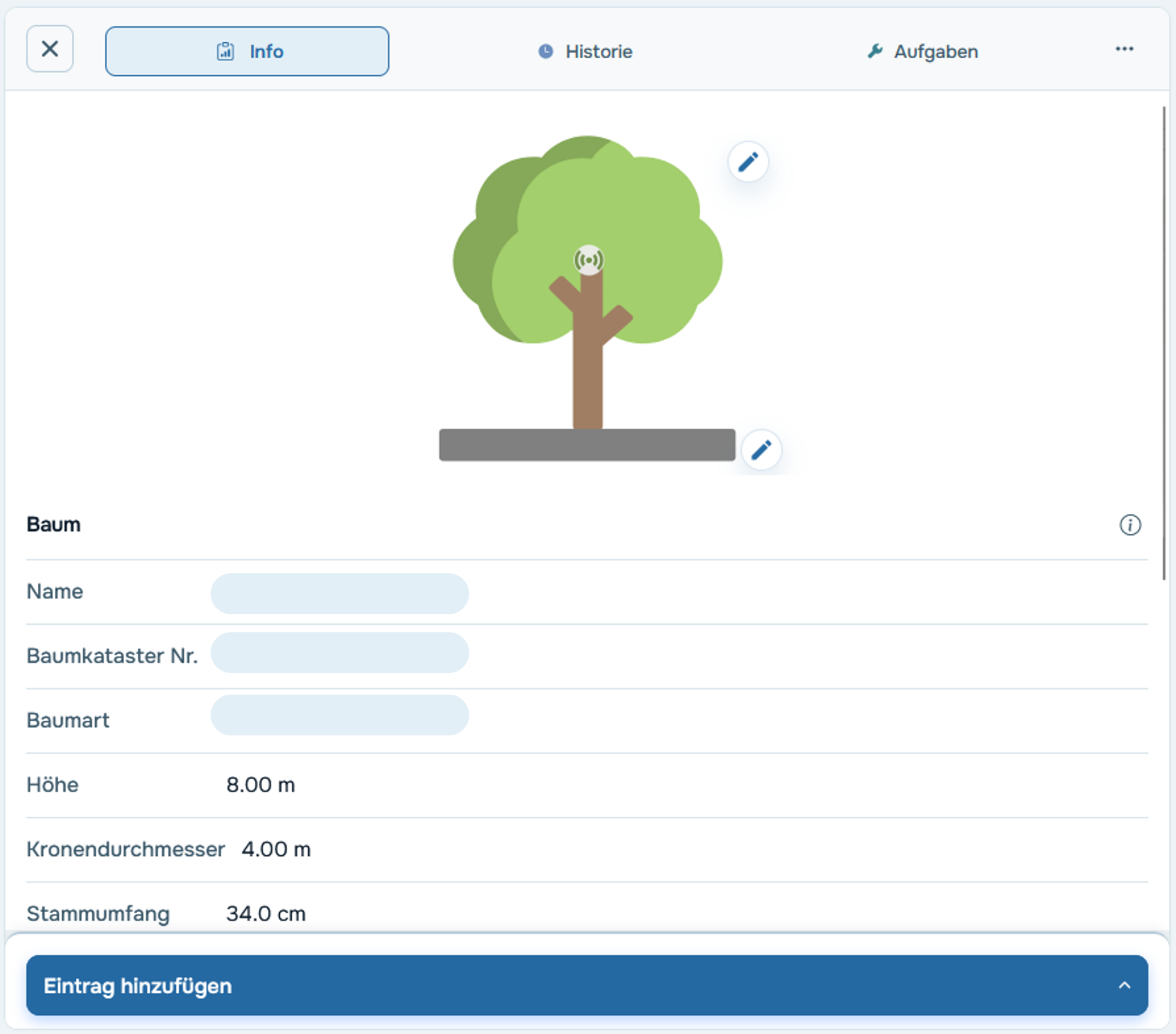
Step 3 – Check the thresholds
The default thresholds are empirical guidelines—however, depending on the tree species and location, it may be advisable to adjust them. You can do this in the tree profile by clicking the pencil icon under the "Thresholds" tab.
→ More info: Manually adjust your trees' limits
Step 4 – Use the Data Analysis section
For the actual analysis, use the cloud’s data analysis section. There, high-resolution sensor data is displayed for a period of your choice. You can compare different sensors or trees relative to one another—for example, to analyze how different tree species respond to the same drought.
→ Video Guide: How to Use Data Analysis Effectively
Understanding the Traffic Light System – Days of Drought Stress
The TreeSense Dendro evaluates the Tree Water Deficit (TWD) to determine a tree's status. The TWD indicates the extent to which a tree is experiencing drought stress. The traffic light system counts the number of drought stress days—that is, the number of days on which the TWD is greater than 0:
Green – no action required: 0 days of drought stress
Yellow – drought stress present: ≥ 1 day of drought stress

