Quick Start: Soil Analysis
Soils vary greatly in their ability to store water and make it available to plants. A soil analysis provides a site-specific basis for precisely setting irrigation thresholds.
For soil analysis, the FDR and Watermark can be used in combination: The FDR measures volumetric water content, while the Watermark measures soil water potential. Together, they enable the creation of a retention curve.
Quick Start in 4 Steps
Step 1 – Create a tree and assign a location
Add a new tree: Go to Tree Registry, Tree Inventory, or Map View and click “Add Tree.” Place the tree on the map and confirm its location. Select the project and location, enter the basic information (tree species, year planted, location), and save. Alternatively, you can create a new project or area directly at this point.
→ Video tutorial: Adding a tree to the tree registry
Step 2 – Assign sensor
In the tree view, use the pencil icon to assign the installed sensor. Be sure to enter the installation date, mounting depth, and sensor type.
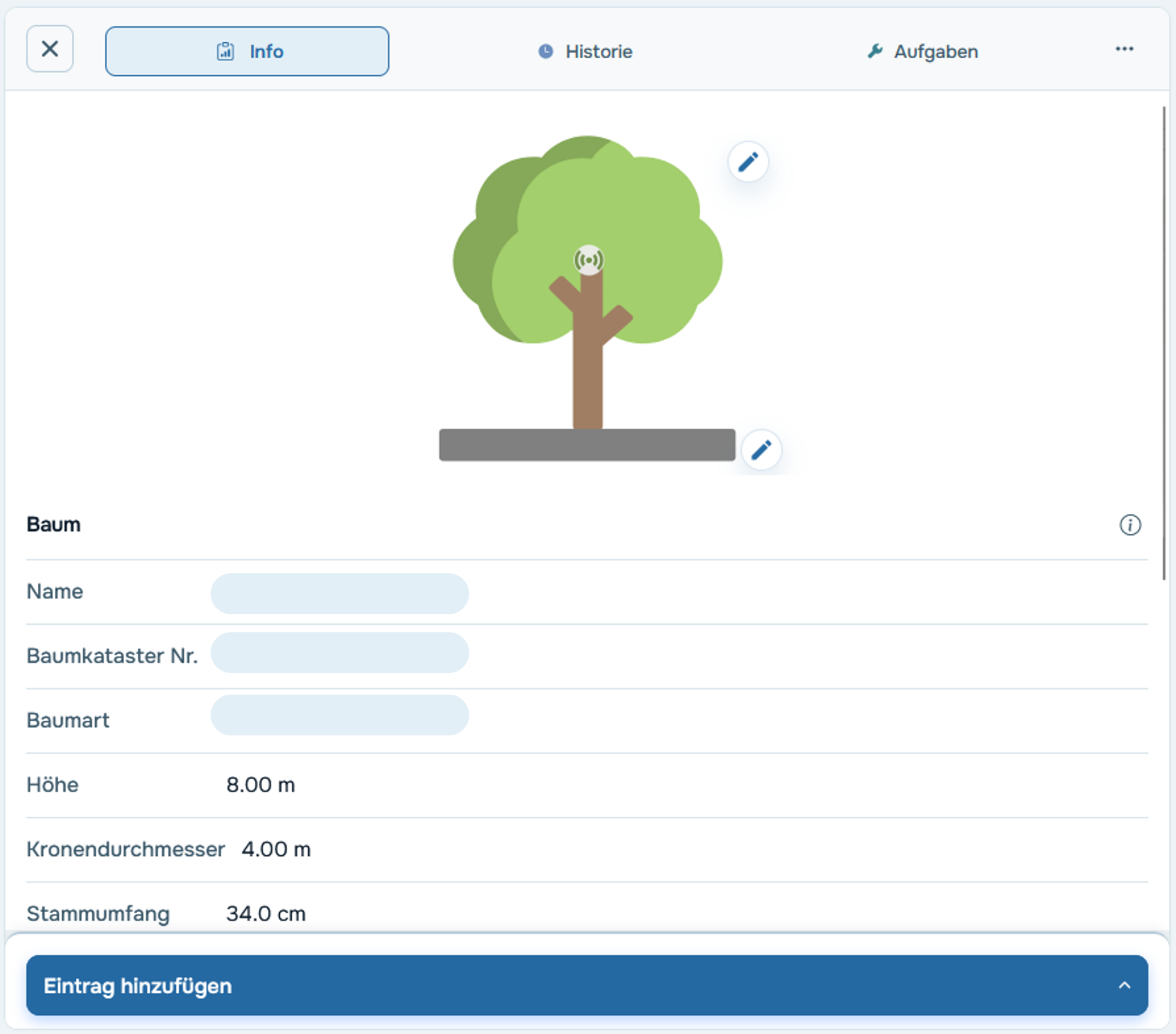
Step 3 – Check the thresholds
The default thresholds are empirical guidelines—however, depending on the tree and soil type, it may be advisable to adjust them. You can do this in the tree profile by clicking the pencil icon under the "Thresholds" tab.
→ More info: Manually adjust your trees' limits
Step 4 – Use the Data Analysis section
For the actual analysis, use the cloud’s data analysis section. There, high-resolution sensor data is displayed for a period of your choice. You can compare different sensors or trees relative to one another—for example, to analyze how different soils respond to the same drought.
→ Video Guide: How to Use Data Analysis Effectively
Case Study
At Munich Airport, 15 trees on underground parking garage roofs—which are not connected to the groundwater table—were equipped with Pulse and FDR sensors. By combining FDR measurements with a retention curve generated through laboratory analysis, soil water potential could be calculated directly from the FDR values—without the need for additional sensors.
→ Case Study: Soil Analyses at Munich Airport
Further reading
→ The retention curve
→ The soil type triangle
→ Difference between water content and soil water potential
→ How does an FDR sensor work?

