Quick Start: Smart Watering for New Plantings
Sensors attached to the tree and embedded in the soil provide data that is algorithmically translated into irrigation recommendations. This makes it possible to identify the varying water requirements of young trees and ensure their vitality during the critical growth phase.
Der TreeSense Pulse misst den Feuchtigkeitsindex direkt in der Baumkrone und ermöglicht so eine proaktive, bedarfsgerechte Bewässerungsplanung. Alternativ können auch FDR, Watermark oder Dendro eingesetzt werden – je nach Situation und Anforderung.
Quick Start in 5 Steps
Step 1 – Create a tree and assign a location
Add a new tree: Go to Tree Registry, Tree Inventory, or Map View and click “Add Tree.” Place the tree on the map and confirm its location. Select the project and location, enter the basic information (tree species, year planted, location), and save. Alternatively, you can create a new project or area directly at this point.
→ Video tutorial: Adding a tree to the tree registry
Step 2 – Assign sensor
In the tree view, use the pencil icon to assign the installed sensor. Enter the installation date, mounting height, and sensor type.
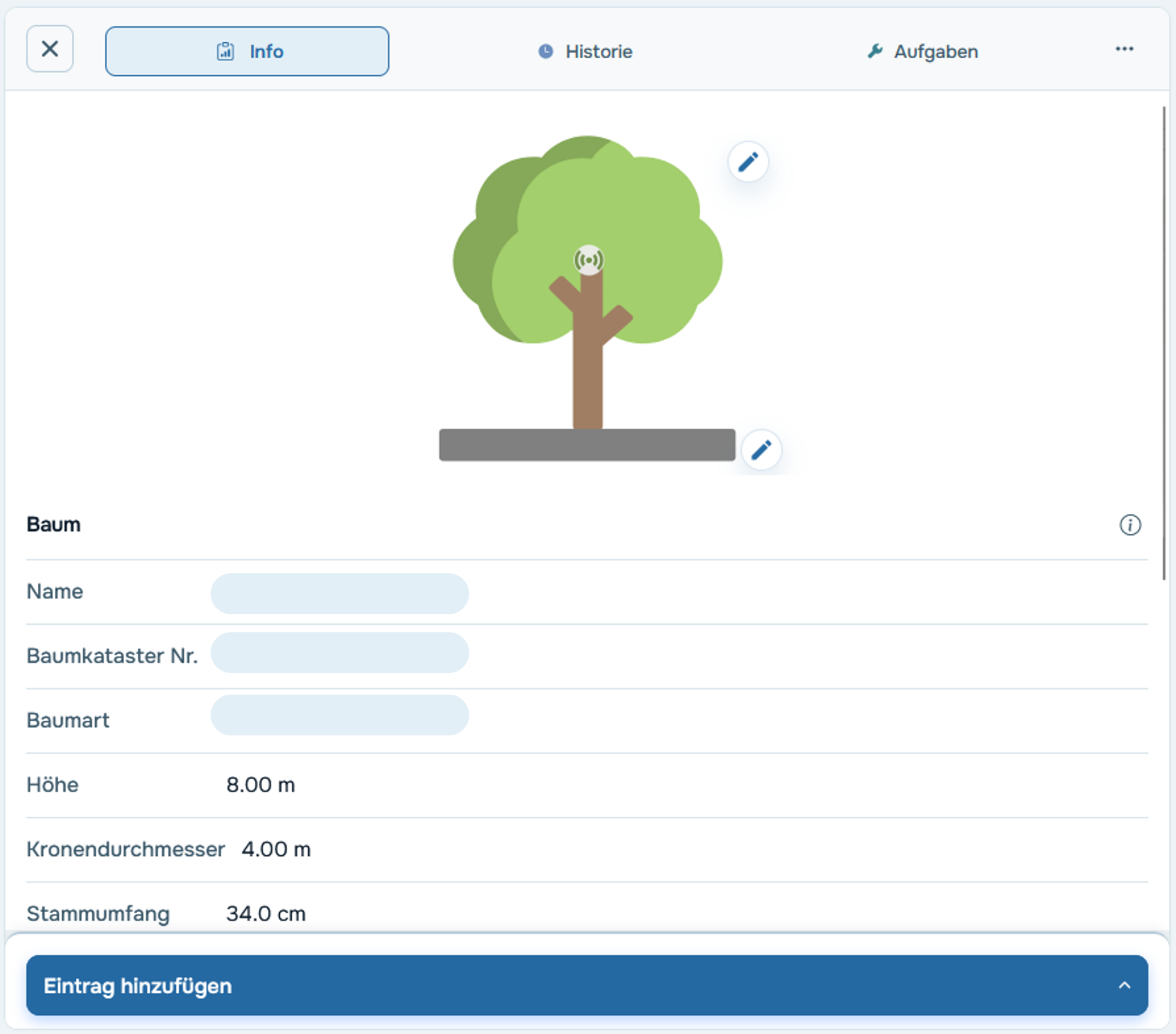
Step 3 – Check the thresholds
The default thresholds are empirical guidelines—however, depending on the tree species and location, it may be advisable to adjust them. You can do this in the tree profile by clicking the pencil icon under the "Thresholds" tab.
→ More info: Manually adjust your trees' limits
Step 4 – Set up notifications
In the Settings under Notifications, you can choose whether and when you want to be notified—for example, as soon as a tree turns yellow or red.
Step 5 – Create tasks
As soon as a tree needs to be watered, create a task in the tree’s profile by clicking “Add entry” or in the Tasks section by clicking “New task.” Tasks help you plan watering schedules, assign them to the team, and document their completion.
→ Video tutorial: Create a task manually
Practical example
In the summer of 2024, 21 young trees in Munich were monitored using TreeSense Pulse. By adjusting watering schedules based on sensor readings, 74% of the originally planned watering sessions were eliminated—while also providing a clearer picture of each tree’s actual water needs.

