Quick Start: Dendrological Construction Supervision
Construction activities such as excavation or groundwater lowering can place significant stress on trees in the surrounding area. The TreeSense Cloud enables the early detection of drought stress and provides comprehensive documentation of tree health—serving as evidence for developers and regulatory agencies.
The TreeSense Pulse monitors changes in the water balance of the tree canopy and detects drought stress at an early stage—before visible damage occurs. Depending on the tree care project, soil sensors may also be useful for monitoring changes in the water balance at various depths.
Quick Start in 4 Steps
Step 1 – Create a tree and assign a location
Add a new tree: Go to Tree Registry, Tree Inventory, or Map View and click “Add Tree.” Place the tree on the map and confirm its location. Select the project and location, enter the basic information (tree species, year planted, location), and save. Alternatively, you can create a new project or area directly at this point.
→ Video tutorial: Adding a tree to the tree registry
Step 2 – Assign sensor
In the tree view, use the pencil icon to assign the installed sensor. Be sure to enter the installation date, mounting depth, and sensor type.
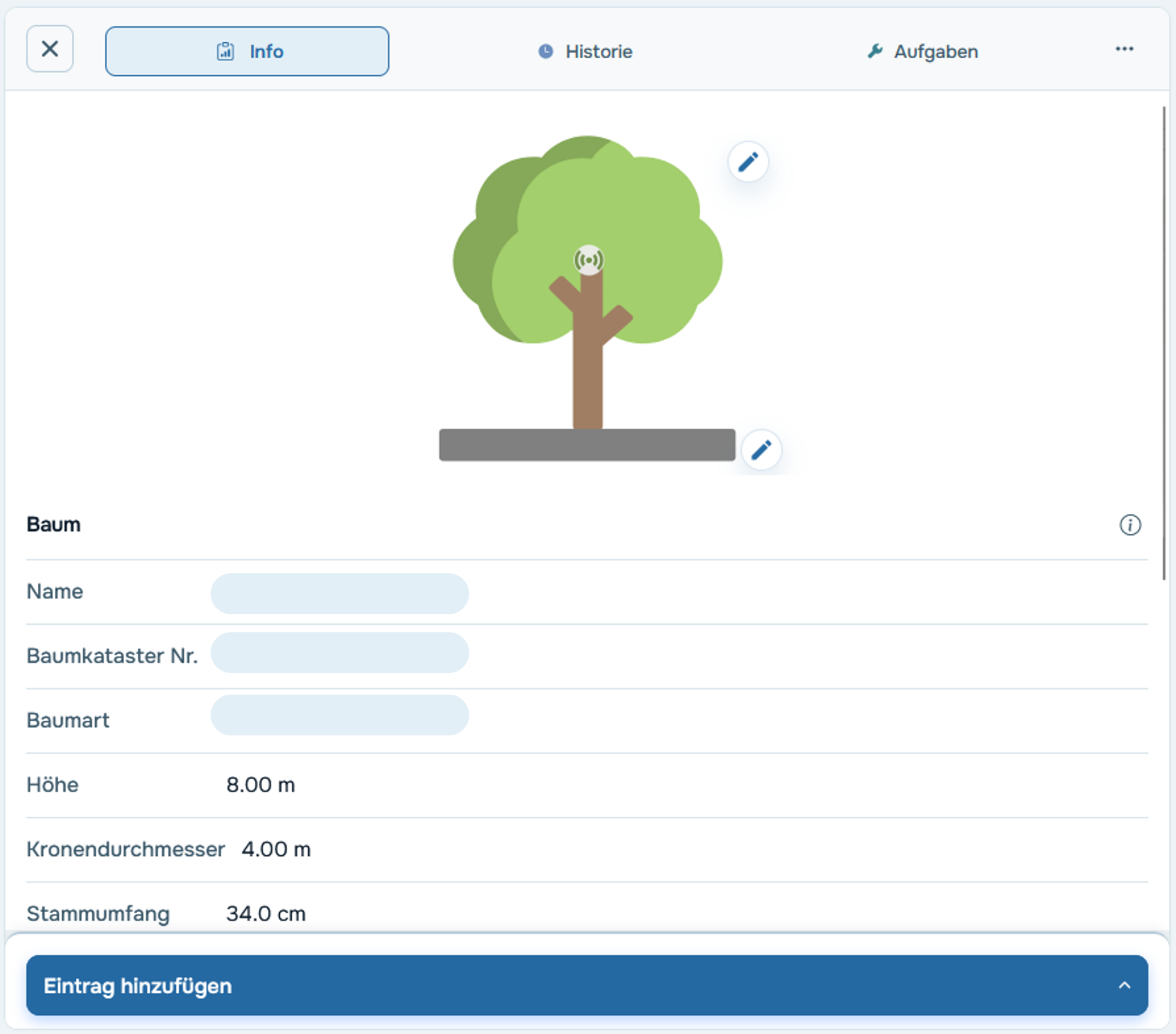
Step 3 – Check the thresholds
The default thresholds are empirical guidelines—however, depending on the tree and soil type, it may be advisable to adjust them. You can do this in the tree profile by clicking the pencil icon under the "Thresholds" tab.
→ More info: Manually adjust your trees' limits
Step 4 – Mark construction work
Use the free-form entry field in the tree profile under “Add Entry” or in the tasks section under “New Task” to mark relevant construction phases directly on the tree—for example, start of construction, groundwater lowering, or end of construction.
Step 5 – Create tasks
As soon as action is required, tasks can be created in the tree profile or in the Tasks section—for example, for watering or pruning required due to construction work. The documented tasks also serve as proof for the client.
→ Video tutorial: Create a task manually
Case Study
During the construction of a new swimming pool complex in Rastatt, 15 trees were monitored over an 18-month period. Each tree was equipped with a Pulse sensor in the crown and a Watermark sensor at four different depths in the soil. This allowed for the comprehensive monitoring of both changes in the soil caused by the lowering of the water table and early signs of stress in the crown.
→ Case Study: Dendrological Construction Supervision in Rastatt

